
Cat Icon Maker
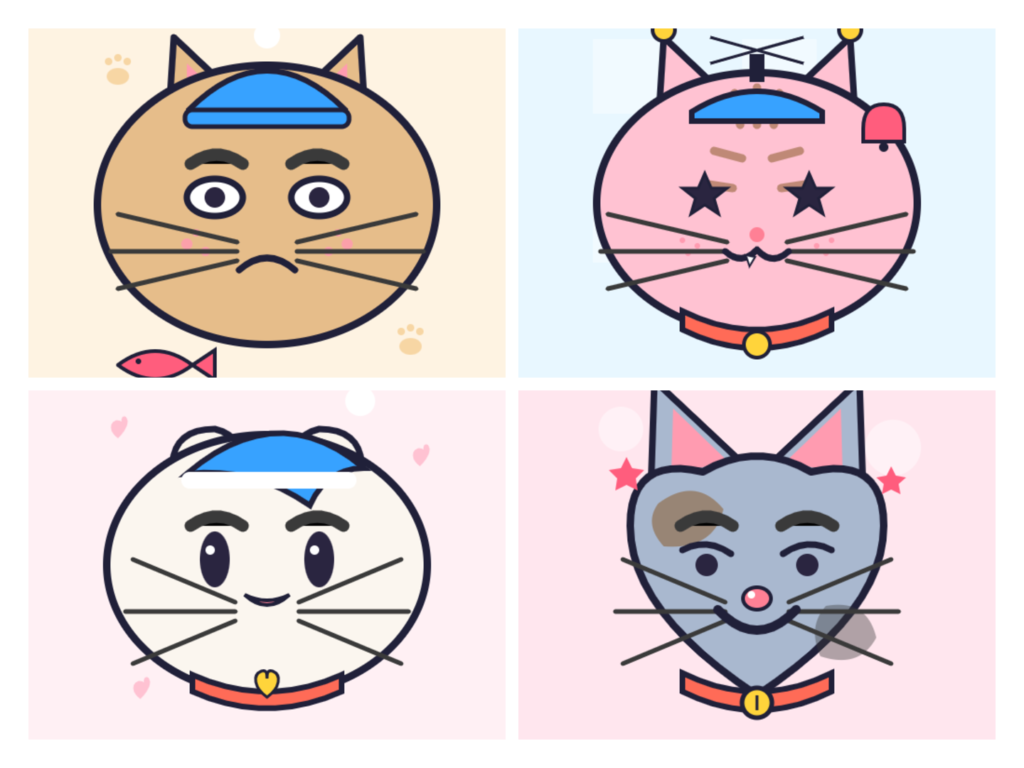
Create cute cat icons and profile pictures. Pick from 190+ cat parts — ears, eyes, noses, whiskers, mouths, fur colors, markings, collars, hats and fun extras. Customize colors, adjust position and download a 512×512 or 256×256 PNG.
Style
Choose a ready-made cat.
Adjust selected item
Try More Face Generators
🟠 Square Face Generator
Create cute square face icons with customizable features.
🟢 Oval Face Generator
Create cute oval face icons with customizable features.
What Is Cat Icon Maker?
In my experience, every finished avatar starts as a plain base cat awaiting your creativity. You quickly customize the small details, then export a clean PNG suiting almost any social media profile picture slot nicely.
At its heart, this online app works much like a pixel icon studio made for cats. Right inside your browser, you tweak the ears, eyes, whiskers, and fur, slowly shaping a character that reads distinctly.
What surprised me most here was the low price: it stays 100% free, allowing truly unlimited designs with no signup whatsoever. Personalize your feline, then share the PFP straight to Discord, Instagram, or Twitch immediately.
New to cat avatars? Read our guide: Best Free Cat Avatar Makers.
How To Use Cat Icon Maker
Finishing surprised me the most. Follow along just a couple steps, tap the export step, and your PNG export downloads instant and fast. This whole process genuinely beats any bloated guide or tedious walkthrough honestly.
Here’s where you begin to learn the tool. The customization options sprawl surprisingly deep; my honest tip is patient color adjustment. Editing stays easy, while simple instructions and an intuitive workflow teach the how-to naturally.
Straight from experience: this web app needs no installation, no download, no plugin whatsoever. Even a total beginner simply clicks start, reaches base selection, then starts shaping their kitty right inside the browser — refreshingly frictionless.
Cat Icon Maker App (Online)
Most people expect an install; this cat pixel avatar maker never asks. Everything runs online, browser-based, no download required. I’ve built dozens of kitty faces during commutes, exporting instant PNG files afterward without any fuss.
The web-based approach quietly changes behavior: you generate, discard, retry. That freedom explains why customization feels playful rather than precious. Free digital image work should feel disposable, honestly — create cute feline PFP experiments endlessly, guilt-free.
Cat Pixel Avatar Maker Tutorial
Most tutorial guides skip sequencing, yet I always preview before touching fur pattern. Open the color picker early, select base shapes, then judge whisker contrast at small size, where readability quietly decides everything on Discord.
Four steps sound rigid; experience says otherwise. Export PNG with transparent background, one click, done — local processing keeps everything client-side. Twitch streamers rarely notice, though browser-based tools quietly outperform bloated installers requiring endless account permissions.
Cat Pixel Avatar Maker Guide (Workflow & Free Access)
Years of pixel art work taught me to choose template last. Veterans personalize the mouth, nose, fur color, patterns, then adjust colors through a palette, producing one unique cat avatar with accessories layered afterward.
Everything runs locally — no software, cloud-free, lightweight, works in browser, real-time drag and click editing. Free access means download your square format cat icon, export ICO, then post it across social media, gaming and GitHub.
Made For Every Platform
Nobody redesigns their identity six times. One cat-themed icon, exported once, handles every account you own. I learned this after rebuilding avatars weekly, then realizing consistent feline charm outperforms constant reinvention across your scattered communities.
Sizing rules differ; contrast rules don’t. Gamers, content creators, and pet accounts all fight the same enemy: muddy thumbnails. A transparent background plus deliberate colors keeps your pixel cat legible wherever compression bites down hardest.
Discord
Discord shrinks everything into a circle, so corners vanish. My square icon got cropped into a ball until I recentered the cat face maker output. Round previews forgive nothing—stand out through shape, not detail.
Server chats scroll fast; a memorable character anchors recognition. Download a crisp image file, drop it in, done. No plugin, no Flash, just HTML5 rendering that survives Discord’s aggressive resizing and its dark-mode background shifts.
Twitter & X
X compresses uploads brutally, so silhouettes matter more than whiskers. I test by squinting at forty-eight pixels; when shapes muddy, I adjust colors toward extremes. Midtones die in timeline previews, and nobody clicks a smudge.
Reply guys forget names; they remember pixels. A recognizable pixel cat builds brand memory faster than any bio rewrite ever will. Keep the format simple: flat design, bold outline, one accent hue, zero gradients whatsoever.
TikTok
TikTok stacks your face icon beside a follow button, tiny and moving. Motion steals attention, so stillness must earn it. Cute works here; complexity doesn’t. I’ve seen elaborate portraits vanish into the scrolling blur entirely.
Creators duet, stitch, repost—your tiny square travels further than any video. Make it cross-device clear: check phone, tablet, laptop. Mobile viewers judge within milliseconds, and honest pixel weight quietly decides whether they ever tap.
Instagram wraps your picture in story gradients, stealing edge space. Leave breathing room; I once lost an ear to that ring. A square PFP maker export helps, though composition inside the circle matters much more.
Grid aesthetics reward consistency, so variants beat redesigns. Keep one base design, swap accessories seasonally. Pet accounts thrive on this: same personality, fresh patterns, zero confusion for followers quietly scrolling through their own saved collections.
YouTube
YouTube renders your channel icon at twenty-four pixels beside comments. Test there first, not on the banner. ICO exports won’t help; a clean transparent background PNG survives every light and dark theme YouTube ever ships.
Comment threads move quickly, so a bright, chunky face earns replies. I’ve watched channels build presence through avatar consistency alone: no rebrand budget, no hired designer, and no design skills required from anybody at all.
Twitch
Twitch multiplies your image across chat badges, sub emotes, and raid alerts simultaneously. Mismatched art reads careless instantly. Pick one direction—chibi, oval, or cube—and hold it. Coherent avatar styles signal a maintained channel.
Streamers rebrand constantly, wasting hours. More generators exist, but related tools rarely match your palette. Export once, save locally, reuse everywhere—local processing means nothing leaves your browser-based session, which many paranoid moderators quietly appreciate.
Why Choose This Cat Icon Maker
Most cat lovers discover this tool backwards — they arrive wanting one profile picture, then stay because the face maker handles projects nobody planned for. That reversal explains its stubborn popularity better than any feature list.
Years of building avatar page layouts taught me something contrarian: versatile beats detailed. An accessible editor that stays quick wins over bloated suites. Best for anyone valuing online presence without the cost of learning curves.
200+ Customization Options
Begin where most guides end. Select base, then customize parts until the design character stops resembling templates. Whiskers, ear angles, style clusters — over two hundred toggles exist, though most experienced users touch maybe thirty regularly.
The customizable depth serves an odd purpose: identity drift. My aesthetic shifted thrice yearly, and remaking felt easy rather than tedious. Other styles wait one click away, no steps wasted rebuilding what already worked well.
Instant PNG Export
Export happens locally, instantly. The image format you receive is a transparent PNG file, high-quality enough for a channel icon or thumbnail, small enough that upload never stalls midway during peak hours on busy platforms.
Practitioners resize afterward for square crops. One render covers Twitter, tweets, stories, and the feed alike — many social accounts, single export. Cross-platform consistency emerges from compatible defaults, not effort, which surprises nearly every new creator.
100% Free
No payment gates. No subscription tiers pretending to be generosity. Free to use means exactly that — no cost at export, free access to every asset, including the ones other face icon generator sites lock away.
Skepticism is reasonable. I audited it: no plugin purchases, commercial use permitted, rights retained by you. Personal use and paid commercial work alike are allowed under a permissive license. Truly free, structurally rather than promotionally.
Privacy Safe
Rendering stays local. No upload occurs, no data collection runs silently underneath. Your private sketches remain secure on your device, which sounds unremarkable until you compare competing editors’ analytics dashboards, which quietly harvest nearly everything.
Data safe claims deserve verification. Open developer tools, watch network traffic: nothing leaves. Privacy here isn’t policy language, it’s architecture. JavaScript executes entirely in your modern browser, keeping creations safe and entirely unshared with anyone.
Mobile Friendly
Phones handle this fine — touch targets sized for thumbs. A gamer waiting between matches, a streamer prepping live streaming overlays, both finish before their coffee cools. Time-saving, though nobody really markets it that way anymore.
TikTok short-form trends move fast; a fresh profile photo matters weekly. Swap yours between videos, update your handle’s look, post the result — followers notice the timeline refresh far more than anyone would ever reasonably expect.
No Installation Needed
Flash Player died and took countless creative tools with it. This one survived because it never needed installing. No Flash, no downloads, no app usage agreements — just a link, opened once, working immediately from anywhere.
Discord server regulars, YouTube subscribers, Twitch chat — every online community I’ve observed adopts browser-native editors faster. How to use it? Open, click, done. Overview finished, start to finish, inside minutes rather than an entire afternoon.
Why A Cat-Themed Avatar Page Earns Its Place
After building icons for gaming communities since 2016, I learned this: a free, easy, customizable cat page beats bloated suites. Privacy matters, quality matters, and fun matters — bloated editors deliver none of those three reliably.
Practitioners notice the difference: instant high-quality exports, no installation, mobile-friendly touch controls. 200+ combinations exist, yet step-by-step simplicity survives. That balance — variety without confusion — earns any multi-purpose cat maker a permanent slot on my toolbar.
Best For
Streamers anchoring a channel, moderators steering a gaming community, and artists posting on X all need one profile mark that survives cropping. Cat pixels do that quietly, without demanding brand redesigns or costly design agencies.
IG hobbyists, social managers editing on the go, second-channel experimenters — each benefits differently. Anything free to use across any device removes the excuse that identity work waits for desktops, agency budgets, or someone else’s permission.
What Makes It Useful
Most designers ask why choose a cat maker. The benefits appear later: instant access, no install, no download. You create avatar artwork before hesitation arrives, which explains this tool’s stubborn, quiet usefulness for busy moderators.
Features matter less than reasons. Web-based, plug-in free, responsive across iOS and Android — I’ve built icons on trains. No software, no app store, no subscription: the advantages compound whenever a deadline tightens and nothing installs.
Quick Tip
Skip the options panel initially. Lock silhouette first, then explore styles, then colour. That flexible order sounds backwards, yet customization options stop overwhelming you once shape decisions harden into something truly recognisable at sixteen pixels.
Everything stays private — no upload, no data collection. Secure, privacy-safe, data safe. Test end-to-end once, follow best practices, export twice. No cost, no payment ever, so experimentation carries zero penalty besides your own patient time.
Frequently Asked Questions
Skeptics ask what the catch is. There isn’t one. Every base, whisker, and palette stays free, with no payment screen lurking behind the export button, and no subscription tier hiding better ears.
Years of testing avatar tools taught me hidden cost appears later. Here, generation runs unlimited, downloads carry no cost, and the maker remains 100% free — genuinely free to use whenever inspiration strikes, even at midnight.
Newcomers wondering how to use this thing overthink it. Open your browser, select base shape first, then customize layer by layer. Three steps, honestly, and the learning curve stays remarkably easy, even for absolute beginners.
Afterwards I adjust colors until the fur reads warm rather than muddy, then export. The PNG lands in your download folder instantly, sized correctly, no rendering queue, no waiting spinner whatsoever, which surprises most people.
That question dates you, affectionately. Flash Player died years ago, taking half the old avatar web with it. Nothing here touches Flash; no Flash, no plugin, nothing to install or update quarterly like everyone did.
The rendering runs on HTML5 canvas with JavaScript handling layers, so any modern browser — phone or desktop — works. Your browser already contains everything; no separate plugin download ever required again, thankfully, unlike the 2000s era.
Commercial use confuses people most. Your generated avatar belongs to you: streaming overlays, indie game sprites, client projects. Selling merchandise? Allowed. The license grants broad rights without paperwork or attribution demands, contracts, or lawyer emails.
Whether personal use stickers or commercial branding, the terms stay identical — free to use, no royalty tracking. One caveat: don’t resell the generator itself, only what you create using it, which strikes everyone as reasonable.
Every download arrives as PNG — the image format that preserves crisp pixel edges without JPEG smearing. The transparent background matters enormously when layering your cat over stream scenes or wallpapers, which surprised me at first.
Need a favicon? Convert that file into ICO afterwards; conversion tools abound. The exported high-quality raster stays sharp at large sizes, and no proprietary format locks your artwork anywhere permanently behind a paywall or app.
Yes — it doubles as a square PFP maker and face icon generator. Canvas outputs square by default because platforms crop circles from squares anyway, keeping whiskers safely inside the frame, a lesson learned through failures.
Calling it merely an avatar tool undersells things. One icon becomes forum PFP, Discord profile picture, sticker, or business card mascot — versatile, multi-purpose output nobody expects from something this small and this quick to make.
Export finishes, then save locally before anything else — habit from losing work once. Download the PNG, then upload it wherever your profile lives. Nothing gets hosted on our servers meanwhile, which people find unusual initially.
To share, post directly across social media or drop a link in Discord. Cat avatars circulate fast; mine appeared on three friends’ timelines before I finished my coffee that morning, which honestly felt oddly flattering.
Local processing answers this cleanly. Pixels render inside your tab; no upload happens, ever. The browser-based architecture keeps data safe by design rather than by promise or policy document that nobody actually reads anyway, frankly.
No data collection occurs — zero analytics, zero accounts. Privacy means private genuinely: close the tab, everything vanishes. That’s secure, and safe in ways cloud editors cannot structurally match, having tested dozens over the past years.
Need a square profile picture for your main account? Our step-by-step guide covers both photo cropping and avatar building — no upload required.
Latest Articles
-
How to Make a Square Profile Picture (And Why Most People Are Doing It Wrong)
Most people search for “how to make a square profile picture” and land on a cropping tool. They upload a photo, drag a box around their face, and download a slightly worse version of something they already had. That gets the job done. But it’s not the only way — and for a lot of…
-
Best Free Oval Face Generators to Create a Cute Avatar (2026)
I’ve lost count of how many profile pictures I’ve built over the years. Somewhere between the old forum days and my current pile of Discord servers, I turned into the kind of person who notices when an avatar’s face is slightly too wide for the crop. Oval faces, in particular, have quietly become my go-to…
-
Best Free Cat Avatar Makers to Build a Cute Cat PFP (2026)
I’ve been making little avatars for online profiles since before “PFP” was even a word people said out loud. Forum badges, MSN display pics, Discord icons, Twitch sub emotes — I’ve fiddled with all of them. And somewhere along the way I got weirdly specific about one thing: a good cat avatar maker should let…