
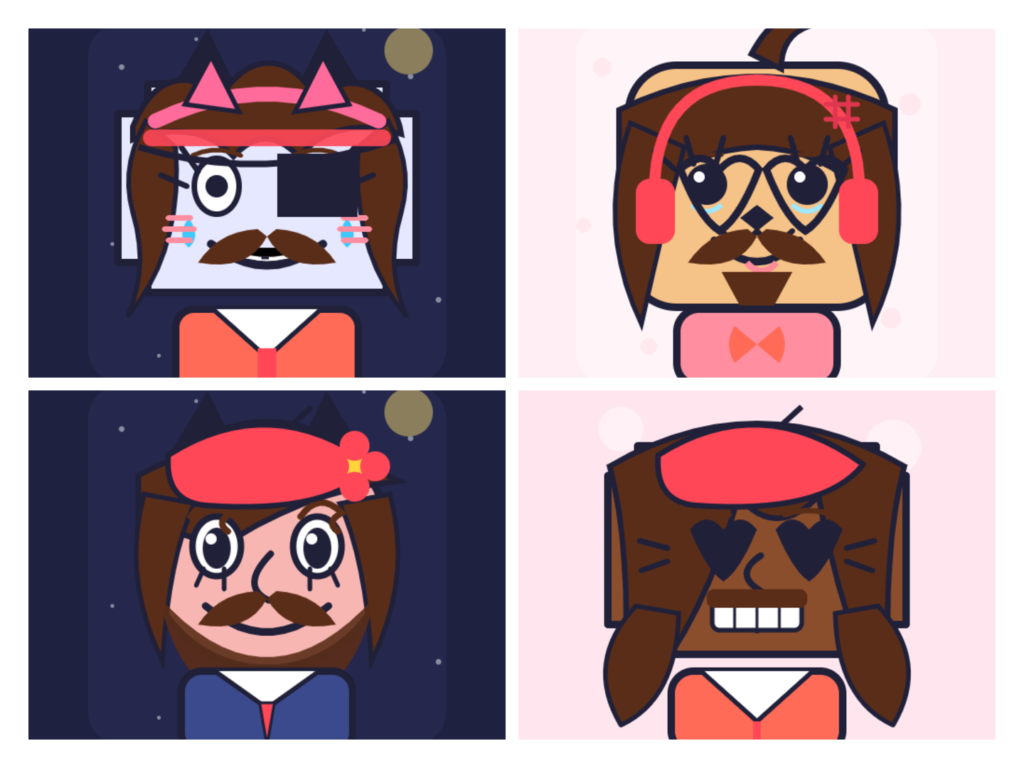
Create cute square face icons, cat avatars, pixel cats, oval faces and anime profile pictures. Choose from 250+ parts, customize colors, adjust position and download a PNG.
Choose generator style.
Adjust selected item
What you can customize
- Style Human, cat, pixel art, cool, cute and funny presets.
- Skin Pick a skin or cat color.
- Gender Clean male, female and cute presets.
- Face Shape Square, oval, round, wide, tall, pixel and cat shapes.
- Hair Male and female hairstyles.
- Side Hair Side hair, long hair and twin-tail pieces.
- Eyes Cute, anime, sleepy, angry, star, spiral and funny eyes.
- Nose Small, curved, cat and cartoon noses.
- Mouth Smile, cute, sad, open and funny mouths.
- Eyebrows Thin, thick, angry, sad and cute eyebrows.
- Eyelashes Eyelash styles for cute faces.
- Blush Cheeks, blush marks and cute face stickers.
- Moustache Moustache styles.
- Beard Beard and chin hair styles.
- Glasses Round, square, sunglasses, goggles and monocle.
- Hats Caps, bows, crowns, headbands and cute hats.
- Clothes Shirts, collars, scarves and outfits.
- Cat Parts Cat ears, whiskers, paws and tails.
- Extras Stars, clips, bandages, tears, scars and stickers.
- Background Soft backgrounds and frames.
Build a square face icon part by part — face shape, hair, eyes, mouth, glasses, hats — and download it as a PNG. No account, no installation, and nothing you make is uploaded anywhere.
This is a square and blocky style maker, not an anime one. If anime is what you’re after, our Picrew alternatives guide points you to better fits.
What is a Square Face Generator?
A square face generator is a browser tool that builds an avatar from stacked layers instead of a photo. You choose a square head shape, then add skin tone, hairstyle, eyes, eyebrows, nose, mouth and accessories on top. Each choice draws immediately in the preview, so you shape the character rather than describe it.
Three things separate it from the tools people usually land on:
- A photo cropper takes an image you already have and cuts it square. Nothing new is created.
- An AI avatar generator interprets a text prompt. You get a result, but not control over the parts.
- A square face maker hands you the parts. Every eyebrow angle, every colour, every hat is a choice you make.
That last one matters when you want a specific look rather than a surprising one.
Try More Face Generators
🟢 Oval Face Generator
Create cute oval face icons with customizable features.
🟠 Cat Icon Maker
Cat Icon Maker – Design Your Cat Avatar, Free & Fast
How to Make a Square Face Icon
1. Start with the head shape. Square, soft square, round, oval, wide, tall, pixel or cat. This decides the silhouette, and the silhouette is what people recognise at small sizes. Try three before committing.
2. Set the skin and base features. Skin tone, then eyes, eyebrows, nose and mouth. Work top to bottom — it’s easier to judge proportions in that order.
3. Layer hair and accessories. Hair, side hair, glasses, hats, clothes. Cat parts and extras go on last if you want them.
4. Adjust anything that sits slightly wrong. Every layered part has its own X, Y, size and colour controls. Nudging eyebrows down two notches changes an expression completely — this is where a generated-looking avatar starts looking deliberate.
5. Download. Pick 256px or 512px and save the PNG.
If you’re not sure where to start, press Random a few times. It assembles full combinations you can then edit, which is faster than building from scratch.
The Circle Crop Problem (Read This Before You Download)
Almost every platform displays avatars as circles, even though you upload a square. The corners of your image get cut off, and so does anything sitting close to an edge.
Two practical rules:
- Keep the face centred with breathing room. If a hat brim or a ponytail runs to the edge of the canvas, expect it to disappear in the crop. The position sliders exist partly for this.
- Design for small. In a Discord member list or an X timeline, your avatar renders at a fraction of its real size. Bold shapes, strong colour contrast and a clear silhouette survive that. Fine detail does not.
This is why a blocky style works well as a profile picture. Flat shapes and heavy outlines stay readable when everything else turns to mush.
Choosing a Download Size
| Size | Best for |
|---|---|
| 256×256 | Forum signatures, older platforms with upload limits, anywhere file size matters |
| 512×512 | Discord, X, TikTok, Twitch, Steam, Instagram — the safe default for profile pictures |
Both export as 1:1 square PNG. 512 is the larger of the two and covers standard avatar slots comfortably.
An honest limit: 512×512 is the maximum here. That’s plenty for profile pictures, but for large channel banners or print you’d want a bigger source file. Check the current recommended size on whichever platform you’re uploading to, since those change.
Where a Square Face Icon Works Well
Discord
The strongest fit. Discord crops to a circle and renders avatars small in member lists, so a bold blocky face reads instantly where a shrunken photo doesn’t.
X (Twitter)
Timeline avatars display small and circular. Simple shapes and high contrast survive the downscale.
TikTok and Instagram
The retro, flat-shape look stands out against the photo-heavy default everyone else uses.
Twitch and Steam
Useful when you want one consistent face across gaming platforms. Recognition comes from repetition, so using the same icon everywhere works harder than a new one each time.
Forums, Reddit, Group Chats
Anywhere a tiny square sits next to your name.
Beyond Profiles
The exported PNG also works as a placeholder portrait in a game project, a sticker, or a character reference for something you’re writing.
How This Compares to Picrew and Other Avatar Makers
Picrew is the best-known tool in this space and works on a different model: individual artists upload their own hand-drawn part sets, so there are thousands of separate makers, each in its own style — mostly anime.
| Feature | This tool | Picrew | AI avatar generators |
|---|---|---|---|
| Style | Square, blocky, flat | Mostly anime, varies by maker | Whatever the model produces |
| Control | You place every part | You place every part | Prompt only |
| Art variety | One consistent style | Thousands of styles | Wide but unpredictable |
| Usage terms | One clear policy | Set per maker by each artist | Varies by service |
| Account needed | No | No | Usually yes |
The honest summary: if you want anime, Picrew has far more to offer and we’d rather you went there. If you want a clean square icon with deliberate control over every feature, that’s what this is built for.
There’s a bit of history behind the format too. The original square-face and dress-up makers ran on Flash, which browsers dropped support for in 2020. This rebuilds that hands-on, pick-your-parts approach for modern browsers.
Free, Orivate, and No Account
Free with no limits. No signup, no trial, no credits that expire, no cap on how many avatars you make.
Nothing is uploaded. The whole tool runs in your browser. There’s no upload step, no request for photo access, and no server holding your designs — because no server is involved in making them. When you press download, the file is written directly by your browser.
Nothing to install. It runs in Chrome, Firefox, Safari and Edge, on phones, tablets and desktops.
Tips For a Better Square Face Icon
Pick the silhouette first. Head shape and hair outline do more work than any other choice. Get those right and the rest falls into place.
Limit yourself to three main colours. Skin, hair, and one accent across clothes and accessories. More than that turns muddy at small sizes.
Check contrast against a dark background. Discord’s default theme is dark. A pale face on a pale background disappears there.
Use the position sliders on eyes and eyebrows. Small vertical shifts change expression more than swapping the part entirely.
Don’t stack every accessory. Glasses plus hat plus extras plus cat ears reads as clutter. Two focal points is usually the ceiling.
Save a copy before experimenting. There’s no undo history across sessions, so download a version you like before pushing further.
About This Tool
Square Face Generator is built and maintained by Haider Ali at The Live Rank. It’s a free browser-based avatar maker with 250+ parts across 20 categories, exporting 256×256 or 512×512 PNG files.
What it does well: square and blocky icons, cat avatars, pixel-style faces, and oval variants, with per-part position and colour control.
What it doesn’t do: anime art styles, 3D or photorealistic renders, transparent backgrounds, or exports above 512px. If you need any of those, a different tool will serve you better.
Usage: free for personal use — profile pictures, social media, gaming and similar. For commercial use, such as selling designs or including them in a paid product, get in touch first.
Frequently Asked Questions
A square face generator is a browser-based tool that lets you build a blocky avatar by hand. You start from a square face base, then layer skin tone, hair, eyes, mouth, and accessories until the icon looks the way you want. Everything updates in a live preview, and you download the finished result as a 512×512 PNG.
Yes. No cost, no account, no credits, and no limit on how many avatars you make.
256×256 or 512×512 PNG, both square. 512 is the better default for profile pictures on Discord, X, Twitch and Instagram.
Choose your size under the preview, then press Download PNG. The file saves straight to your device — there’s no email step or waiting queue.
This tool is intended for personal use — profile pictures, social media, gaming, and similar. For commercial use (selling designs or using them in paid products), please contact us first.
Yes. The layout adapts to phones and tablets, and the controls are built for touch. It runs in Chrome, Firefox, Safari and Edge with nothing to install.
Everything happens inside your browser. Nothing is uploaded, no account is created, and no images are stored on a server.
Picrew runs on artist-uploaded makers and leans heavily anime. This is one consistent square, blocky style with per-part position and colour control, and a single clear usage policy. Full comparison in our Picrew alternatives guide.
No. This builds flat, layered, hand-assembled icons. For 3D renders or photorealistic portraits you’d need a different kind of generator.
Yes, for personal channels. Note the 512×512 export ceiling — fine for profile icons, not for large channel banners.
Refresh, then clear your browser cache. If it still won’t start, disable an aggressive ad blocker or try another browser.
Yes — send suggestions through the contact page.
Definitely. The square icon face generator exists specifically for that purpose. Open the menu, pick a hair style, finalize features, then export. Your finished piece lands in tidy square-shaped aspect ratios, ideal for profile icons.
Latest Articles
-
How to Make a Square Profile Picture (And Why Most People Are Doing It Wrong)
Most people search for “how to make a square profile picture” and land on a cropping tool. They upload a photo, drag a box around their face, and download a slightly worse version of something they already had. That gets the job done. But it’s not the only way — and for a lot of…
-
Best Free Oval Face Generators to Create a Cute Avatar (2026)
I’ve lost count of how many profile pictures I’ve built over the years. Somewhere between the old forum days and my current pile of Discord servers, I turned into the kind of person who notices when an avatar’s face is slightly too wide for the crop. Oval faces, in particular, have quietly become my go-to…
-
Best Free Cat Avatar Makers to Build a Cute Cat PFP (2026)
I’ve been making little avatars for online profiles since before “PFP” was even a word people said out loud. Forum badges, MSN display pics, Discord icons, Twitch sub emotes — I’ve fiddled with all of them. And somewhere along the way I got weirdly specific about one thing: a good cat avatar maker should let…
-
Free Picrew Alternatives: A Style-by-Style Guide to Making Avatars You Actually Own (2026)
Search “Picrew alternatives” and you’ll get the same list every time: fifteen anime avatar makers, ranked one to fifteen, with almost no explanation of which one fits you. That’s not helpful when you already know Picrew — you don’t need another identical list. You need to know which alternative matches the style you want and,…